Digito
Best for launching one digital product this week
One-page template for selling a digital product. Product presentation, benefits, pricing, and checkout links.
- digital product
- sell online
- landing page
- gumroad
- launch
$49one-time · yours to edit in Carrd
Don't want to touch it? I'll build it and keep it running. Build it for me →
The service is top-notch. He cares about making sure you're happy with your purchase. He even helps you to work out any kinks so your website can shine.
 Erica
EricaOne page to launch one digital product this week. Notion-style, text-first, three images. The fastest template in the catalogue to fill in, because there is almost nothing to fill.
Who this template is for
Anyone selling a digital product or a small productised service — a template pack, a plugin, a design-edits offer, a mini course. If your product can be explained in six short blurbs and two price cards, this is the page.
It is also the template for a freelancer who sells a fixed-price service and wants a “request a quote” form at the bottom. The demo does exactly that.
What’s included
Seven sections, three images, and a form.
Navigation
Product name, three links — Features, Pricing, FAQ — and a buy button.
Hero
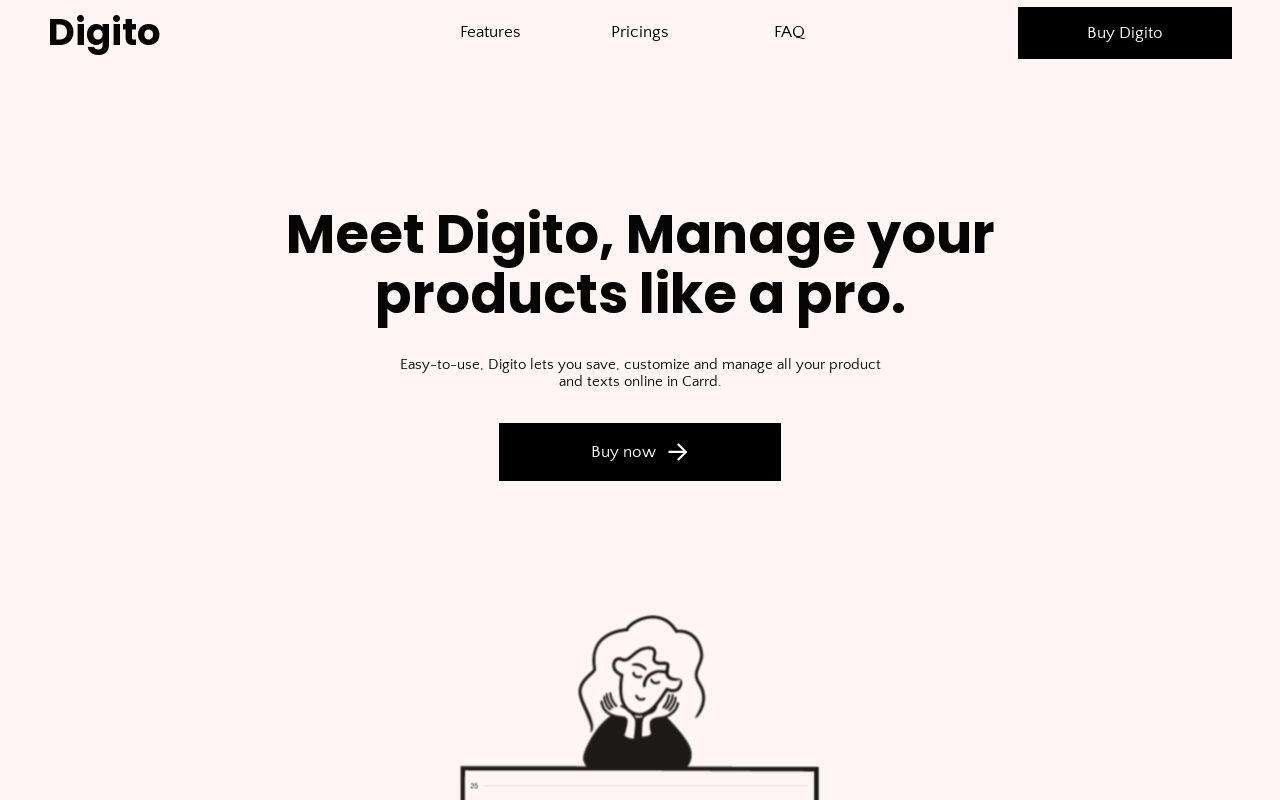
Product name, a one-line “Meet Digito” headline, one sentence on what it does, and a “Buy now” link.
Six feature blurbs
Title plus a short paragraph each — the demo uses simple interface, organise, search, personal, safe, documented. Two columns, no icons to source.
Two price cards
Each with a title, a price, three bullets and a buy link. The demo frames them as two service tiers; they work equally as two product editions.
Four-question FAQ
Expandable question-and-answer rows.
Two testimonials
Stars, quote, name and company.
Closing call to action with a form
“Ready to start?” — a headline, one line, and a form asking name, email and a project description. Or swap the form for a buy button if you sell a product, not a service.
How to customise it
- Buy it and copy it to your Carrd account. After purchase, click “Use this template” and it appears in your Carrd dashboard. Needs Carrd Pro Plus ($49/year).
- Replace the placeholder content. Every heading, line, image and link is editable in Carrd’s visual editor. No code. There are three images. Everything else is text — write it in one sitting.
- Connect your domain and publish. Point your domain at Carrd, press publish, and the page is live. Under an hour. Genuinely. The Carrd guide covers domains, forms and SEO step by step.
What you get
- The complete one-page template, all seven sections, ready to edit
- Three image slots — the least production work of any template here
- A mobile-first layout
- Every Carrd Pro feature: forms, embeds, custom domain, analytics
- No cost after Carrd Pro — no plugins, no hosting bill
- 1 month of email support — content setup, connecting your domain, wiring your email service
Frequently asked questions
Do I need a Carrd Pro account?
Yes. Carrd Pro Plus ($49/year) or higher: Carrd requires it for this template because it uses Carrd’s Advanced Settings, a Pro Plus feature: custom classes on the FAQ, and separate desktop and mobile versions of one block. Pro Plus also covers your own domain. It is still one of the lowest hosting costs of any website platform.
Where do the buy links go?
Gumroad, Lemon Squeezy, Payhip, Stripe — any URL. Or add Carrd’s Stripe payment element and take the payment on the page.
Product or service — which is it built for?
Both. The demo sells a service with a quote form; the structure sells a product with a buy button just as well. Change the last section and you have switched.
What does the 1 month of email support include?
Help getting your content into the template, connecting your domain, and integrating your email service — Kit, Mailchimp, Beehiiv and 15+ others. Email [email protected] after purchase.
Ready to launch your site?
Get the template, then make it yours in Carrd.
Don't want to touch it? I'll build it and keep it running. Build it for me →